ADVERTISEMENT
  • About Us
  • Advertise
  • Contact Us
  • Privacy Policy
Thursday, August 6, 2026
NewsOnline Nigeria
  • Headlines
  • Top Stories
  • Politics
  • Crime Watch
  • Entertainment
  • Sports
No Result
View All Result
  • Headlines
  • Top Stories
  • Politics
  • Crime Watch
  • Entertainment
  • Sports
No Result
View All Result
NewsOnline Nigeria
No Result
View All Result
  • Headlines
  • Top Stories
  • Politics
  • Crime Watch
  • Entertainment
  • Sports
Home Featured

How to Link NIN To Your Prepaid Meter, Resolve KTCs Issues in Lagos

The first step in the process is to visit the Ikeja Electric official website. Look for the “Link your NIN And Meter” button and click. This will redirect you to a dedicated portal that handles the NIN linking process.

by NewsOnline Nigeria
November 26, 2023
in Featured, Top Stories
0
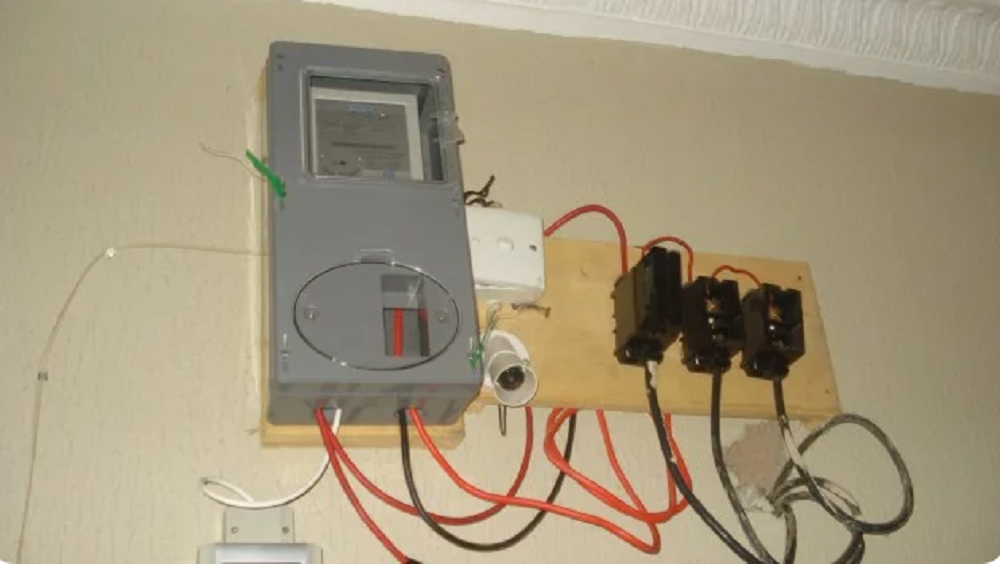
How to Link NIN To Your Prepaid Meter

How to Link NIN to your Prepaid Meter and resolve KTCs issues in Lagos has been provided below.


Newsonline Nigeria reports that in a move to enhance security, Lagosians under the Ikeja Electric network will have to upgrade their meters, with failure to do so resulting in customers’ inability to load energy tokens.


According to the new campaign that started on November 1st, IKEDC (Ikeja Electricity Distribution Company) now sends KCTs (Key Change Tokens) for upgrading STS (Standard Transfer Specification) prepaid meters after they have been linked with the National Identification Number (NIN).


SEE ALSO: CBN discontinues quasi-fiscal interventions in Nigerian economy


This Nigeria news platform understands that to get the two unique 20-digit tokens (KTCs) for upgrading your meter, you’ll need to link your NIN to your meter at smartkyc.ikejaelectric.com/nin.


Below are the steps to link your NIN to your prepaid meter:


Step 1: Click the “Link your NIN And Meter” button.

The first step in the process is to visit the Ikeja Electric official website. Look for the “Link your NIN And Meter” button and click. This will redirect you to a dedicated portal that handles the NIN linking process.

Step 2: Get Your Phone Number, NIN, and Email Address Ready.

Before kick-starting, ensure your phone number, NIN, and email address are readily available. Double-check the accuracy of your NIN to ensure the information you provide is correct.

Step 3: Confirm You Inputted the Correct NIN Details.


Once you’ve clicked the designated button, the portal will prompt you to enter your phone number, NIN, and email address. Take a moment to review the information you’ve entered and confirm the accuracy of your NIN details.


Proceed to the next step only when you are confident that the information provided is accurate.


Step 4: Input Your Meter Number and Verification Code

In the next and final phase of the process, you will be asked to input your meter number and a verification code. The verification code will be sent to the email address you provided earlier or your linked mobile number. Check your email or message inbox for the code and enter it into the designated field.


Take extra care when entering your meter number and verification code to avoid errors. Click the “submit” button to move on to the final step.


Conclusion

You have successfully linked your NIN to your prepaid meter with Ikeja Electric.

Purchase energy of any amount to get the two sets of 20-digit tokens necessary to load energy onto your prepaid meter.

You will be sent three different tokens to upload to your meter. Input KTC1, followed by KTC2, and finally, input your energy token.

Note: Only landlords can use a single NIN to register multiple meters. Tenants can only link NIN to one meter.


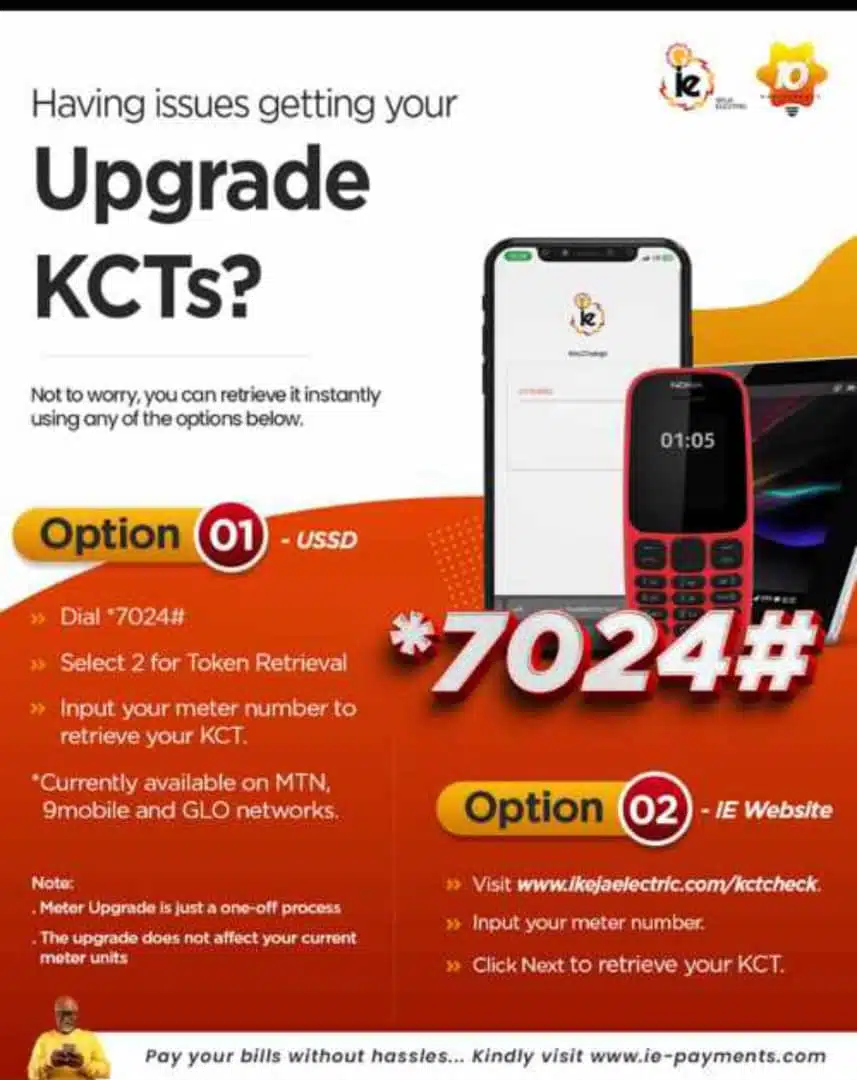
How to resolve KTC issues:
Previous Post

Governor Mbah breaks 20-yr-old jinx in Enugu with landmark water project

Next Post

Aiyedatiwa signs undertaking as Tinubu blocks Akeredolu removal from office

Next Post
Aiyedatiwa

Aiyedatiwa signs undertaking as Tinubu blocks Akeredolu removal from office

Trending Stories

How to Link NIN To Your Prepaid Meter

How to Link NIN To Your Prepaid Meter, Resolve KTCs Issues in Lagos

Baltasar Engonga Wife Video Knacking Another Man

Watch Full Baltasar Engonga Wife Video Knacking Another Man [#BaltasarEngonga]

Governor Ademola Adeleke

BREAKING: EFCC Freezes Osun Government Bank Account Days Before Governorship Election

2024 UTME Results

BREAKING: JAMB Result Day Two Is Out: Check JAMB Result 2023 Online Here

National Grid

FG to Add 60.82MW Solar Power to National Grid, Begins 13.92MW Hybrid Mini-Grid Project in Yobe

Winners at Chaos in the Ring 2026

Full List of Winners at Chaos in the Ring 2026: Charles Okocha, Joker Boy, Yusuf Adeniji, Suleiman Jafaru Shine

Omoge Saida

Popular Socialite Omoge Saida’s Private Video Sparks Outrage Online (WATCH VIDEO HERE)

Wage Award Arrears

FG to Begin Payment of Outstanding N35,000 Wage Award Arrears Before Mid-August

ADC

‘Political Terrorism’: ADC Blasts FG Over Freeze of Osun Government Funds

OPay Is Okay

OPay Launches ‘OPay Is Okay’ Campaign to Strengthen Trust in Nigeria’s Digital Finance Sector

Latest Stories

OPay Is Okay

OPay Launches ‘OPay Is Okay’ Campaign to Strengthen Trust in Nigeria’s Digital Finance Sector

National Grid

FG to Add 60.82MW Solar Power to National Grid, Begins 13.92MW Hybrid Mini-Grid Project in Yobe

Dino Melaye

2027: ‘Remember Abacha’ – Dino Melaye Warns Tinubu, Says ‘There Is a God Factor’

ADC

‘Political Terrorism’: ADC Blasts FG Over Freeze of Osun Government Funds

Wage Award Arrears

FG to Begin Payment of Outstanding N35,000 Wage Award Arrears Before Mid-August

2026 WASSCE Results

WAEC Releases 2026 WASSCE Results, 61.54% of Candidates Secure Five Credits

Governor Ademola Adeleke

BREAKING: EFCC Freezes Osun Government Bank Account Days Before Governorship Election

Birth Certificate

FG Launches Online Birth, Death Registration Portal, Introduces ₦5,000 Digital Birth Certificate Service

Nigerian Armed Forces Personnel

BREAKING: Tinubu Approves Up to 80% Salary Increase for Nigerian Armed Forces Personnel

Justice Winner, Senior Account Manager, IVI PR

5 Strategic Communication Moves Every Nigerian Startup Should Implement to Attract Investors By Justice Winner

NewsOnline 2026

Get the Latest Naija News, Breaking News, Top Stories, World News, Business, Politics & Entertainment from NewsOnline Nigeria.

RELEVANT PAGES

  • About Us
  • Advertise
  • Contact Us
  • Privacy Policy

ALERT US

Important Press Releases, Special Investigations: admin@newsonlineng.com

OFFICE ADDRESS

13 Poland Street, London, United Kingdom (UK)

Copyright © 2026 NewsOnline Nigeria

No Result
View All Result
  • Headlines
  • Top Stories
  • Politics
  • Crime Watch
  • Entertainment
  • Sports

Copyright © 2023 Newsonline Nigeria