ADVERTISEMENT
  • About Us
  • Advertise
  • Contact Us
  • Privacy Policy
Friday, April 3, 2026
NewsOnline Nigeria
  • Headlines
  • Top Stories
  • Politics
  • Crime Watch
  • Entertainment
  • Sports
No Result
View All Result
  • Headlines
  • Top Stories
  • Politics
  • Crime Watch
  • Entertainment
  • Sports
No Result
View All Result
NewsOnline Nigeria
No Result
View All Result
  • Headlines
  • Top Stories
  • Politics
  • Crime Watch
  • Entertainment
  • Sports
ADVERTISEMENT
ADVERTISEMENT
Home Featured

Facebook Protect Security Feature: Do This Now To Protect Your Facebook From Hackers

by NewsOnline Nigeria
November 13, 2021
in Featured, Headline
0
Facebook Protect Security Feature

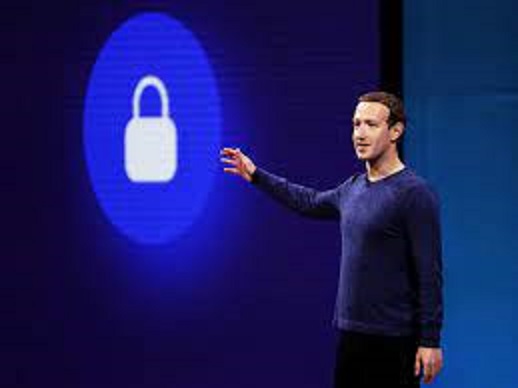
Details of how to activate your Facebook Protect Security Feature and protect your Facebook account from being hacked can be accessed below.


Newsonline reports that social networking giant Facebook sent a notification to its users recently that everyone has 15 days to activate its all–important “Facebook Protect” feature.


ALSO: Apostle Suleman Reveals Nigeria’s Real Problem In Trending Video (Watch)


The blue app warned that failure to do so means users will be locked out of their accounts until the security feature is activated. The deadline to activate the Facebook Protect was slated for November 12, 2021.


The Facebook Protect is designed to safeguard users, especially journalists, human rights activists, among other public figures against hackers or other security threats.

Here are easy steps to activate Facebook Protect;

  1. Click on the menu bar (the three-line icon) and select “Settings”.
  2. Select “Password and Security”.
  3. Select “Facebook Protect”.
  4. Press “Next” then “Next” again.
  5. Click on the “Fix Now” button on a page with a message read “We’ve checked your account for vulnerabilities”.
  6. Press the “Turn On” button to turn on two-factor authentication.
  7. Select a security method by clicking on the “Text message (SMS)” section.
  8. Select the phone number (the one that can be accessible) and wait for the 6-digit code to be sent to the mobile phone. Then enter the code and press “Continue”.
  9. It will appear that the two-factor authentication is on, press “Done”.
  10. Wait for the prompt “Your Facebook Protect is on”. You can go through the process again if you don’t get any notification.

NB: For users who don’t get the prompt to activate Facebook Protect, all you have to do is go to Settings & Privacy on your Facebook app, tap on Settings, tap on Password and Security, tap on Facebook Protect if it’s off.

Please, share this article with your friends.

Previous Post

BREAKING: Dollar Recovers After Free Fall Against Naira At Black Market

Next Post

BREAKING: Borno Military Base Under ISWAP Attack

Next Post
Boko Haram Terrorists

BREAKING: Borno Military Base Under ISWAP Attack

Trending Stories

No Content Available

Latest Stories

The LOGIC Church

The LOGIC Church Announces Second Edition of ‘Jesus + Nothing’ Worship for Good Friday

Access Bank Plc HQ

Lagos Govt Moves to Seal Access Bank Plc HQ Over Alleged Wastewater Violations, Attack on Officials

Chukwuma Nwokocha

Chukwuma Nwokocha-Led Stanbic IBTC Bank Top Executives Risk Jail Over Alleged Court Order Breach

Tinubu

Tinubu Faces Backlash for Addressing Plateau Attack From Airport Instead of Visiting Jos

INEC

INEC Defends Chairman Amupitan, Rejects ADC Call for Resignation Over Leadership Dispute

Fidelity Bank Recapitalisation

Fidelity Bank Recapitalisation Surpasses N500bn as Analysts Predict Strong Growth and Expansion

ECOWAS Job Recruitment 2026

Apply For Massive Ongoing ECOWAS Job Recruitment 2026 Here

Flutterwave

Flutterwave Secures Banking Licence in Nigeria, Expands Into Full-Service Financial Infrastructure

$500m Loan For Tinubu Government

BREAKING: World Bank Approves Fresh $500m Loan For Tinubu Government

GTCO

GTCO Launches “Take on Squad” Hackathon 3.0, Opens Applications for Nigerian Tech Innovators

NewsOnline Nigeria

Get the Latest Naija News, Breaking News, Top Stories, World News, Business, Politics & Entertainment from NewsOnline Nigeria.

RELEVANT PAGES

  • About Us
  • Advertise
  • Contact Us
  • Privacy Policy

ALERT US

Important Press Releases, Special Investigations: admin@newsonlineng.com

OFFICE ADDRESS

13 Poland Street, London, United Kingdom (UK)

Copyright © 2026 NewsOnline Nigeria

No Result
View All Result
  • Headlines
  • Top Stories
  • Politics
  • Crime Watch
  • Entertainment
  • Sports

Copyright © 2023 Newsonline Nigeria