ADVERTISEMENT
  • About Us
  • Advertise
  • Contact Us
  • Privacy Policy
Sunday, July 5, 2026
NewsOnline Nigeria
  • Headlines
  • Top Stories
  • Politics
  • Crime Watch
  • Entertainment
  • Sports
No Result
View All Result
  • Headlines
  • Top Stories
  • Politics
  • Crime Watch
  • Entertainment
  • Sports
No Result
View All Result
NewsOnline Nigeria
No Result
View All Result
  • Headlines
  • Top Stories
  • Politics
  • Crime Watch
  • Entertainment
  • Sports
Home Top Stories

How To Retrieve Your Mobile Phone Number If You Have Been Barred

NewsOnline Nigeria highlights the processes of the retrieval as explained by the NCC’s Director of Publicity to our correspondent.

by NewsOnline Nigeria
March 6, 2024
in Top Stories
0
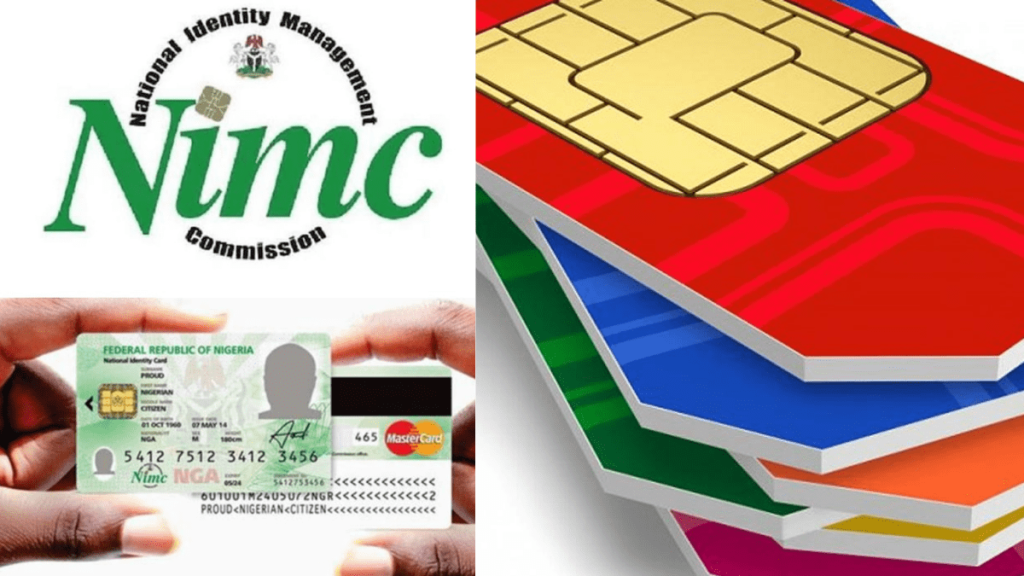
How To Link NIN With MTN

How to retrieve your mobile phone number if you have been barred can be accessed below.


NewsOnline Nigeria had earlier reported that the Nigerian Communications Commission (NCC) has said that the over 40 million telephone lines barred after failing to link to the National Identity Numbers face the risk of being forfeited soon.


This Nigeria news platform understands that NCC’s Director of Public Affairs, Reuben Mouka, disclosed this on Tuesday while speaking with PUNCH Online in an interview.


According to him, the telephone lines barred by their telecommunication operators have breached the February 28, 2024 deadline issued by the commission mandating telecom customers to link their Subscriber Identity Modules (SIMs) to their NIN.


ALSO: President Tinubu Boasts Of Attracting $30 Billion FDI Commitments In 9 Months


He said, “If the barred lines are not acted upon in the next 180 days. They won’t be able to receive calls but will only be able to text and make calls. But after the stipulated days, they would be barred from making calls too and theybmight forfeit their lines to their respective service provider within 365 days.”


However to unbar your phone lines, NewsOnline Nigeria highlights the processes of the retrieval as explained by the NCC’s Director of Publicity to our correspondent.


1. For subscribers who have not registered for their NIN, get your SIM registered at accredited centres across the country.

2. Then link the NIN with your SIM through channels provided by your service provider.

3. For subscribers with registered NINs, simply visit your service provider centre and present the NIN or link your SIM through channels provided by your service providers.

4. But if you have NIN but it was forgotten, retrieve your NIN conveniently using your mobile phone by dialling *346# to get the number.

5. From the options displayed, select “NIN Retrieval”, by typing in ‘1’, if you are using the same phone number you enrolled with for your NIN.

6. Follow the steps displayed on your screen and provide the required inputs.

7. Note that using this service attracts a N20 fee only (deducted from your phone airtime balance).

8. However, the four Mobile Network Operators in the country have designated certain USSD codes for seamless and quick linkage of your NIN and your SIM cards. They are as follows:

a. For MTN Customers
Dial *785# using the phone number you wish to link, enter your NIN and submit or dial *785*Your NIN# from the phone number you wish to link. The number will be linked to your NIN automatically.

b. For Glo Customers
Simply send “UPDATENIN NIN FirstName and LastName” to 109.

c. For Airtel Customers
Just dial *121*1# now to link.

d. For 9Mobile Customers
Dial *200*8# and follow the prompts on your phone screen.

Previous Post

Truck Drivers Threaten To Stop Food Transportation Over Rising Attacks

Next Post

MTN Foundation Opens Application For N450 Million ‘Yellopreneur’ Initiative

Next Post
MTN Foundation

MTN Foundation Opens Application For N450 Million ‘Yellopreneur’ Initiative

Trending Stories

How To Link NIN With MTN

How To Retrieve Your Mobile Phone Number If You Have Been Barred

Baltasar Engonga Wife Video Knacking Another Man

Watch Full Baltasar Engonga Wife Video Knacking Another Man [#BaltasarEngonga]

How Fake Agency Operated Within Nigeria’s Presidency

Nigeria’s Anti-Corruption Fight: Why No One Should Be Above Accountability By Festus Edovia

Happy 4th of July 2023 Messages

Happy 4th of July 2023 Messages, US Independence Day Wishes, Quotes

OnlyFans Sex Videos Of Anita Brown

Watch OnlyFans Sex Videos Of Anita Brown, Davido’s New Baby Mama

Download JUPEB Free Past Questions & Answers in PDF

Download JUPEB Free Past Questions & Answers in PDF [All Subjects]

CDCFIS Recruitment

CDCFIS Recruitment: Over 1.6 Million Apply as 60,000 Candidates Are Shortlisted for Physical Screening

Obi

BREAKING: President Tinubu Appoints Obi To Head Newly Created NHTDAO

Balthazar Wife Video

Another Balthazar Wife Video Breaks Internet (WATCH HERE)

Former Powerful Vice President Is Dead

BREAKING: Popular Northern Candidate In 2023 Election Is Dead

Latest Stories

INEC

BREAKING: INEC Extends Continuous Voter Registration, Launches Online Self-Service Registration Portal

How Fake Agency Operated Within Nigeria’s Presidency

Nigeria’s Anti-Corruption Fight: Why No One Should Be Above Accountability By Festus Edovia

Access Holdings, Coronation Group

Access Holdings, Coronation Group Celebrate Success of Nigerian Modernism Exhibition at Tate Modern London

FPSO Tamara Tokoni Crude Oil

BREAKING: Supreme Court Orders Release of FPSO Tamara Tokoni Crude Oil to GHL, Dismisses First Bank’s Case

How Fake Agency Operated Within Nigeria’s Presidency

How Fake Agency Operated Within Nigeria’s Presidency in Major Fraud Scandal

NNPCL

NNPCL Cuts Petrol Price Again, Reduces Pump Price to N1,210 per Litre

Google

Google Announces New AI, Cloud and Startup Initiatives at Africa Cloud Summit

Death

Is Death the Enemy We Fear or the Friend We Misunderstand? By Festus Edovia

Microfinance Banks

BREAKING: CBN Revokes Operating Licences of 46 Microfinance Banks (Full List)

Hackaholics 7.0

Wema Bank Launches Hackaholics 7.0, Unveils New Tracks and Millions in Grants for African Startups

NewsOnline 2026

Get the Latest Naija News, Breaking News, Top Stories, World News, Business, Politics & Entertainment from NewsOnline Nigeria.

RELEVANT PAGES

  • About Us
  • Advertise
  • Contact Us
  • Privacy Policy

ALERT US

Important Press Releases, Special Investigations: admin@newsonlineng.com

OFFICE ADDRESS

13 Poland Street, London, United Kingdom (UK)

Copyright © 2026 NewsOnline Nigeria

No Result
View All Result
  • Headlines
  • Top Stories
  • Politics
  • Crime Watch
  • Entertainment
  • Sports

Copyright © 2023 Newsonline Nigeria