• About Us
  • Advertise
  • Contact Us
  • Privacy Policy
Monday, February 23, 2026
NewsOnline Nigeria
  • Headlines
  • Top Stories
  • Politics
  • Crime Watch
  • Entertainment
  • Sports
No Result
View All Result
  • Headlines
  • Top Stories
  • Politics
  • Crime Watch
  • Entertainment
  • Sports
No Result
View All Result
NewsOnline Nigeria
No Result
View All Result
  • Headlines
  • Top Stories
  • Politics
  • Crime Watch
  • Entertainment
  • Sports
ADVERTISEMENT
ADVERTISEMENT
Home Economy And Business

Guide On How To Use WhatsApp On Computer Without Data

by NewsOnline Nigeria
October 6, 2021
in Economy And Business, Featured
0
Whatsapp

Guide On How To Use WhatsApp On Computer Without Data has emerged.


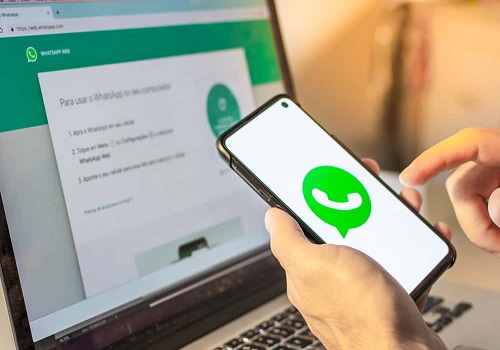
Newsonline understands that Whatsapp Web syncs with the mobile app to let you send and receive WhatsApp messages from your computer. You can access WhatsApp on your phone and computer at the same time.


Recall that over three billion users of Facebook-owned apps and products (WhatsApp, Instagram and Facebook) worldwide were on Monday thrown off balance and unable to log into the social media platforms.


The platforms were, however, restored around 11 pm on Monday. Checks by Newsonline Nigeria revealed some upgrades were done on WhatsApp, one of which is how to make use of WhatsApp on a desktop without keeping your phone online.

After your phone is linked to your computer, you can choose to put off the mobile data on your phone while the WhatsApp on your computer will continue working without data. You can connect up to four devices and one phone at once.


Note: You cannot message or call users who have not updated WhatsApp on their phones


How to use WhatsApp on the desktop without being connected to the internet:


1. Using the WhatsApp Web, all you need to do is to open a browser-based application on your Computer (Chrome, Mozilla or Explorer)


2. Then open Whatsapp on your phone, with your data ON.

3. Then click on the 3dots at the top right.

4. Click on linked devices.

5. When opened, you’ll see two options, link a device and multi-device beta

6. Click on multi-device beta and then,

7. Scan the QR code to link your account.

Wait while it connects. Once done, you’re all set to chat on your computer while you can choose to keep your data off.

Previous Post

Watch UNIBEN Senior Lecturer ‘R*ping’ Female Student In His Office (VIDEO)

Next Post

BREAKING: Popular Nigerian High Court Judge Is Dead

Next Post
Former Powerful Vice President Is Dead

BREAKING: Popular Nigerian High Court Judge Is Dead

Trending Stories

No Content Available

Latest Stories

UNICEF Report

UNICEF Report Reveals 10 Million Toilets Gap In Nigeria

Presidential Campaign Spending Limit

NASS Raises Presidential Campaign Spending Limit to N10bn Ahead of 2027 Elections

El-Rufai

BREAKING: El-Rufai Slams N1bn Suit Against ICPC Over Illegal Abuja Home Search

FirstBank

Driving Growth Through Sustainability: FirstBank’s Commitment

Nigeria’s Political Class

Failure Becomes Festivity in Nigeria’s Political Class By Festus Edovia

Festus Edovia

Power at All Cost: The Politics of Desperation By Festus Edovia

APC

APC Sweeps Five of Six Chairmanship Seats in FCT Area Council Elections (FULL LIST)

Apple

Apple Warns iPhone Users as iPhone 6s, SE, Older Models Added to Obsolete List

2027 Politics

2027 Politics Heats Up as ‘Village Boys Movement’ Launches in Abuja, Backs Value-Based Leadership

El-Rufai

BREAKING: DSS to Arraign El-Rufai Over Alleged Cybercrime, National Security Breach

NewsOnline Nigeria

Get the Latest Naija News, Breaking News, Top Stories, World News, Business, Politics & Entertainment from NewsOnline Nigeria.

RELEVANT PAGES

  • About Us
  • Advertise
  • Contact Us
  • Privacy Policy

ALERT US

Important Press Releases, Special Investigations: [email protected]

OFFICE ADDRESS

13 Poland Street, London, United Kingdom (UK)

Copyright © 2026 NewsOnline Nigeria

No Result
View All Result
  • Headlines
  • Top Stories
  • Politics
  • Crime Watch
  • Entertainment
  • Sports

Copyright © 2023 Newsonline Nigeria