Eligibility and Registration Details Of Bells University of Technology Post-UTME 2022 can be accessed below.
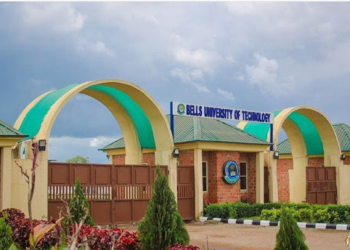
Newsonline reports that Bells University of Technology, Ota has invited applications from suitably qualified candidates for admission into its degree programmes for the 2022/2023 academic session.
SEE ALSO: JAMB 2022 Cut-Off Mark And Admission Policy Meeting Holds July 21st
Undergraduate Programmes

College of Natural and Applied Sciences (4/5 YEARS)
A. Department of Biological Sciences
– B.Sc. Microbiology
– B.Tech Biotechnology
B. Department of Chemical, Food and Nutrition Sciences
– B.Sc. Biochemistry
– B.Sc. Industrial Chemistry
– B.Sc. Chemistry
– B.Tech. Food Technology
– B.Tech. Food Technology (Food Science with Business)
– B.Sc. Nutrition and Dietetics
– B.Sc. Culinary Science and Hospitality Management
C. Department of Physical Sciences
– B.Sc. Physics with Electronics
– B.Sc. Applied Mathematics with Statistics
D. Department of Computer Science and Information Technology
– B.Tech. Computer Science
– B.Tech. Information Technology
College of Management Sciences (4 YEARS)
– B.Sc. Accounting
– B.Sc. Business Administration
– B.Sc. Economics
– B.Sc. Finance and Banking
– B.Sc. Management Technology
College of Environmental Sciences (4/5 YEARS)
– B.Sc. Architecture
– B.Tech. Building Technology
– B.Tech. Estate Management
– B.Tech. Quantity Surveying
– B.Tech. Surveying and Geoinformatics
– B.Tech. Urban and Regional Planning
College of Engineering (5 YEARS)
– B.Eng. Biomedical Engineering
– B.Eng. Civil and Environmental Engineering
– B.Eng. Computer Engineering
– B.Eng. Electrical Electronics Engineering
– B.Eng. Mechanical Engineering
– B.Eng. Mechatronics Engineering
– B.Eng. Telecommunication Engineering
General Admission Requirements
- Intending candidates must have sat for the Unified Tertiary Matriculation Examination (UTME) or obtained the UTME Direct Entry Form where applicable.
- Candidates applying for admission into any undergraduate programme must possess a minimum of five (5) O’ Level Credit passes at one or two sittings in SSCE/ GCE/ NECO/NABTEB or equivalents which must include Credit passes in English Language and Mathematics, and other subjects relevant to the proposed course of study.
- Candidates awaiting results can also apply, provided there is the assurance that such results will be available by September/October in the same year of application.
- Interested candidates are to PAY the application fee and APPLY for admission ONLINE.
How to Apply
- Applicants are to click on “Begin Application”, under the General Menu and then supply your UTME Registration Number on the next page.
- After your details(i.e. UTME Reg. No, Fullname) appear on the next page, you can then proceed to make your payment. However proceeding to make payment means that you affirm that the details supplied are correct. Nevertheless, you are still allowed to confirm your details once more before you make payment.
- Before making a payment, make sure your details are correct. Any successful payment CANNOT be REFUNDED.
- After a successful payment, you will then proceed to create an account. You will be asked to supply a password, an email address and your phone number.
- After successfully creating an account, you can then proceed to fill the application form by logging in to your account.
- Please note, after successfully creating an account, you should always use the “Returning Applicant” link under the General Menu. However, until you successfully make a payment and
- create an account as stated above, you are to use the “Begin Application” link instead.
- As a “Returning Applicant”, you will be able to fill the Application Form, and then complete the application process. After completion of the application process, you will be able to print out your Application Form and Payment Receipt.
- Please note, after submission of your Application Form, you will be unable to change the Passport Photograph uploaded and other details supplied. Hence confirm your details and make sure the passport uploaded is yours before you attempt to submit your Application form.
- You are to return to the same site to check your Admission Status and print your Admission letter.
Futher Details on Application and Payment
Read the above information displayed on the page carefully, scrolling from top to bottom, and click on the application link that applies to you
You will be asked for your preference of payment, ePayment or to Pay at any Bank Branch. Select your preference
After payment, proceed with your registration.
If your choice of payment was ePayment,
Proceed and make payment using a Mastercard that is registered at your bank, for online payment. Print out your receipt, after you have successfully made payment.
Proceed immediately to fill the online application form and print out your application information.
If your choice of payment was Pay at any Bank Branch ,
Print out your payment slip that tells you your reference number, how much you are expected to pay at the bank and also, the Bank and Account number to pay into.
After payment, come back to the portal with your teller and proceed with your registration for screening. Fill the online application form and print out your application information.
Visit the screening centre that is most convenient for you, along with the following:
- The receipt your printed from the portal after online payment, or your teller from the bank
- The application form you printed from the portal after registration
- Passport Photographs
- Two referee reports. One preferably from your secondary school, the second, a clergy
- Birth Certficate
- Credentials, if available
- Your UTME Result.