ADVERTISEMENT
  • About Us
  • Advertise
  • Contact Us
  • Privacy Policy
Thursday, August 20, 2026
NewsOnline Nigeria
  • Headlines
  • Top Stories
  • Politics
  • Crime Watch
  • Entertainment
  • Sports
No Result
View All Result
  • Headlines
  • Top Stories
  • Politics
  • Crime Watch
  • Entertainment
  • Sports
No Result
View All Result
NewsOnline Nigeria
No Result
View All Result
  • Headlines
  • Top Stories
  • Politics
  • Crime Watch
  • Entertainment
  • Sports
ADVERTISEMENT
Home Top Stories

How To Retrieve Your Mobile Phone Number If You Have Been Barred

NewsOnline Nigeria highlights the processes of the retrieval as explained by the NCC’s Director of Publicity to our correspondent.

by NewsOnline Nigeria
March 6, 2024
in Top Stories
0
How To Link NIN With MTN

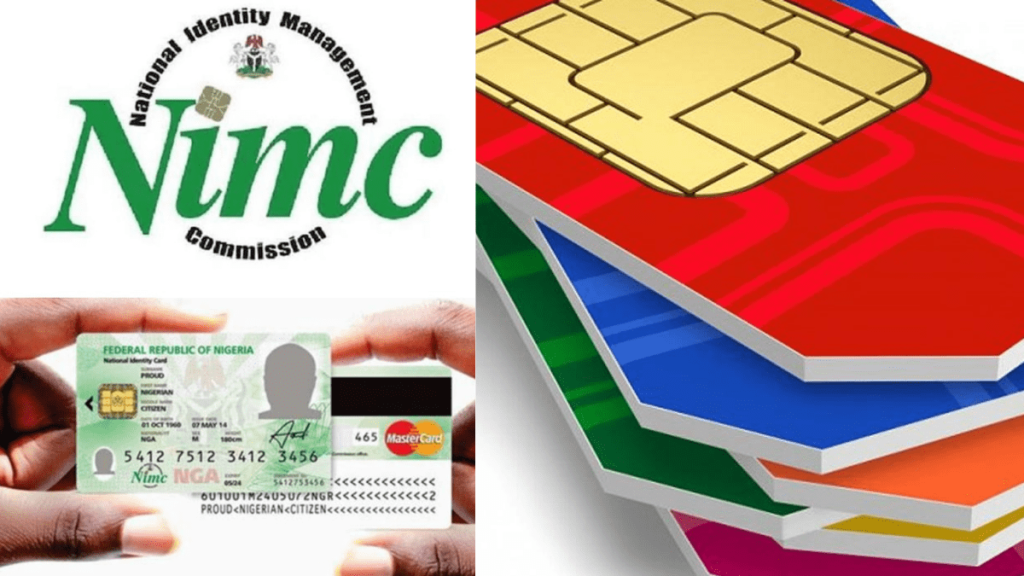
How to retrieve your mobile phone number if you have been barred can be accessed below.


NewsOnline Nigeria had earlier reported that the Nigerian Communications Commission (NCC) has said that the over 40 million telephone lines barred after failing to link to the National Identity Numbers face the risk of being forfeited soon.


This Nigeria news platform understands that NCC’s Director of Public Affairs, Reuben Mouka, disclosed this on Tuesday while speaking with PUNCH Online in an interview.


According to him, the telephone lines barred by their telecommunication operators have breached the February 28, 2024 deadline issued by the commission mandating telecom customers to link their Subscriber Identity Modules (SIMs) to their NIN.


ALSO: President Tinubu Boasts Of Attracting $30 Billion FDI Commitments In 9 Months


He said, “If the barred lines are not acted upon in the next 180 days. They won’t be able to receive calls but will only be able to text and make calls. But after the stipulated days, they would be barred from making calls too and theybmight forfeit their lines to their respective service provider within 365 days.”


However to unbar your phone lines, NewsOnline Nigeria highlights the processes of the retrieval as explained by the NCC’s Director of Publicity to our correspondent.


1. For subscribers who have not registered for their NIN, get your SIM registered at accredited centres across the country.

2. Then link the NIN with your SIM through channels provided by your service provider.

3. For subscribers with registered NINs, simply visit your service provider centre and present the NIN or link your SIM through channels provided by your service providers.

4. But if you have NIN but it was forgotten, retrieve your NIN conveniently using your mobile phone by dialling *346# to get the number.

5. From the options displayed, select “NIN Retrieval”, by typing in ‘1’, if you are using the same phone number you enrolled with for your NIN.

6. Follow the steps displayed on your screen and provide the required inputs.

7. Note that using this service attracts a N20 fee only (deducted from your phone airtime balance).

8. However, the four Mobile Network Operators in the country have designated certain USSD codes for seamless and quick linkage of your NIN and your SIM cards. They are as follows:

a. For MTN Customers
Dial *785# using the phone number you wish to link, enter your NIN and submit or dial *785*Your NIN# from the phone number you wish to link. The number will be linked to your NIN automatically.

b. For Glo Customers
Simply send “UPDATENIN NIN FirstName and LastName” to 109.

c. For Airtel Customers
Just dial *121*1# now to link.

d. For 9Mobile Customers
Dial *200*8# and follow the prompts on your phone screen.

Previous Post

Truck Drivers Threaten To Stop Food Transportation Over Rising Attacks

Next Post

MTN Foundation Opens Application For N450 Million ‘Yellopreneur’ Initiative

Next Post
MTN Foundation

MTN Foundation Opens Application For N450 Million ‘Yellopreneur’ Initiative

Trending Stories

How To Link NIN With MTN

How To Retrieve Your Mobile Phone Number If You Have Been Barred

Ann Mbene, founder and weight loss consultant at HueBeautyGlam

Ann Mbene On Breaking The Weight Loss Stigma in Nigeria

Baltasar Engonga Wife Video Knacking Another Man

Watch Full Baltasar Engonga Wife Video Knacking Another Man [#BaltasarEngonga]

Abel Enitan

BREAKING: Tinubu Appoints Abel Enitan as New Head of Civil Service of the Federation

Canada

Canada Invites 1,000 Express Entry Candidates to Apply for Permanent Residence

NELFUND Student Loans

Tinubu Directs EFCC Recoveries, Unclaimed Dividends to Fund NELFUND Student Loans

FG ₦50m Loan to Build

How To Apply For FG ₦50m Loan to Build, Buy House at 6% Interest

JAMB Past Questions

Download JAMB Past Questions & Answers PDF From 1983 Till Date [All Subjects]

Onaiyekan

Onaiyekan Defies Presidency, Says ‘I’m Not Afraid of Anybody’ Over Tinubu Meeting Remarks

Osasikemwen Ighile

Five Practical Holiday Saving Habits for Nigerian Households By Osasikemwen Ighile

Latest Stories

NELFUND Student Loans

Tinubu Directs EFCC Recoveries, Unclaimed Dividends to Fund NELFUND Student Loans

Onaiyekan

Onaiyekan Defies Presidency, Says ‘I’m Not Afraid of Anybody’ Over Tinubu Meeting Remarks

Canada

Canada Invites 1,000 Express Entry Candidates to Apply for Permanent Residence

South Africa

BREAKING: FG Orders South Africa to End Xenophobic Attacks Against Nigerians

Abel Enitan

BREAKING: Tinubu Appoints Abel Enitan as New Head of Civil Service of the Federation

Osasikemwen Ighile

Five Practical Holiday Saving Habits for Nigerian Households By Osasikemwen Ighile

Ann Mbene, founder and weight loss consultant at HueBeautyGlam

Ann Mbene On Breaking The Weight Loss Stigma in Nigeria

Zenith Bank

Zenith Bank Hosts 10th Non-Oil Export Seminar August 25, Unveils Global Speakers

US Judge

BREAKING: US Judge Sets August 21 Deadline in Tinubu Records FOIA Case

FCT Minister Wike

FCT Minister Wike Reveals Why Adeleke Won Osun Governorship Election

NewsOnline 2026

Get the Latest Naija News, Breaking News, Top Stories, World News, Business, Politics & Entertainment from NewsOnline Nigeria.

RELEVANT PAGES

  • About Us
  • Advertise
  • Contact Us
  • Privacy Policy

ALERT US

Important Press Releases, Special Investigations: admin@newsonlineng.com

OFFICE ADDRESS

13 Poland Street, London, United Kingdom (UK)

Copyright © 2026 NewsOnline Nigeria

No Result
View All Result
  • Headlines
  • Top Stories
  • Politics
  • Crime Watch
  • Entertainment
  • Sports

Copyright © 2023 Newsonline Nigeria