• About Us
  • Advertise
  • Contact Us
  • Privacy Policy
Tuesday, March 3, 2026
  • Headlines
  • Top Stories
  • Politics
  • Crime Watch
  • Entertainment
  • Sports
No Result
View All Result
  • Headlines
  • Top Stories
  • Politics
  • Crime Watch
  • Entertainment
  • Sports
No Result
View All Result
No Result
View All Result
  • Headlines
  • Top Stories
  • Politics
  • Crime Watch
  • Entertainment
  • Sports
ADVERTISEMENT
ADVERTISEMENT
Home Featured

Simple Steps To Link NIN With Mtn, Glo, 9mobile, Airtel Lines

by NewsOnline Nigeria
April 7, 2022
in Featured, Headline
0
MTN

Link NIN With Mtn

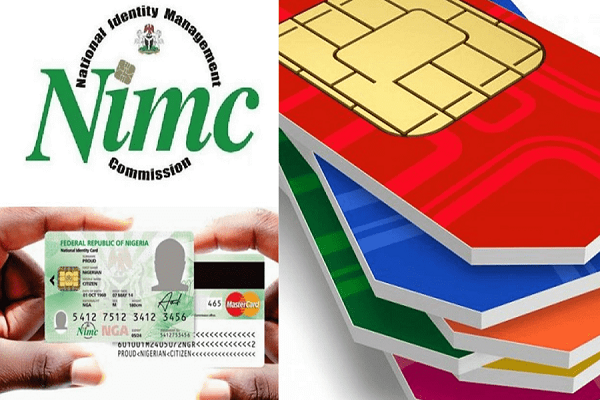
Simple Steps To Link NIN With Mtn, Glo, 9mobile, Airtel Lines has emerged.


Newsonline had earlier reported that the Federal Government, on Monday, ordered telecommunications companies to bar outgoing calls on mobile lines not linked with the National Identification Number (NIN).


This was after subscribers were advised to register their SIM cards with NIN or face the blocking or disconnection of their lines by the end of December 31, 2020.


However, some Nigerians who possess NIN are still unsure on how to go about linking their phone numbers to their NIN

Here are a few steps to link your phone number with your NIN:

How to link your NIN with your MTN Phone number

To link your NIN to an Mtn number, simply dial *785# using the mtn phone number you wish to link, enter your NIN and submit or;

Dial *785#Your NIN# from the mtn phone number you wish to link. The number will be linked to your NIN automatically.

Visit https://mtnonline.com/nim/ using your phone or computer.

Complete the NIN linking form by entering your name, mtn phone number, NIN, and email address.

Submit the form as soon as you’re done.

Wait for feedback from the network.

How to link your NIN to your Airtel Phone Number

To link your NIN to your Airtel phone number, follow the steps below:

Dial *121# on the Airtel line you wish to link.

Type 1 for “NIN Capture” and send.

Enter your 11-digit NIN and send.

Wait for the message confirming your submission. If you get an error, just wait for some time and try again.

How to link your NIN to your Glo and 9mobile Phone numbers


For the other networks, you simply visit the nearest office of your service provider (Glo or 9mobile) to register/link your NIN.

Go with NIN and your SIM pack or call the customer care line of your service provider.

9mobile said it is making effort to develop a system that would make things simple for its customers. You can check your NIN status by dialling *346# from your 9mobile line.

Previous Post

Buhari Appoints Mohammed Abdullahi As Minister Of Environment

Next Post

Latest NPower News For Today Thursday, 7 April 2022

Next Post

Latest NPower News For Today Thursday, 7 April 2022

Trending Stories

No Content Available

Latest Stories

BREAKING: Police Council Confirms Tunji Disu As Inspector-General of Police

BREAKING: Nyesom Wike Vows To Ensure Ireti Kingibe Don’t Return As FCT Senator

JAMB Announces 2026 Direct Entry Registration, Sets April 25 Deadline

Iran Supreme Leader Ayatollah Ali Khamenei Killed In Israel–US Strikes

100 Happy New Month March 2026 Messages and Wishes For All

King Mitchy Reportedly Commits Suicide with Snipper After Failed Attempt with Hypo

King Mitchy, VDM Committed Suicide Using Hypo? What We Know So Far

FCCPC Uncovers Alleged Price Manipulation by Nigerian Airlines During December 2025 Festive Season

BREAKING: Adamawa Governor Ahmadu Fintiri Officially Joins APC

Tinubu’s Executive Order Halts N2.1tn NNPC Deductions, Sparks Oil Sector Debate

Get the Latest Naija News, Breaking News, Top Stories, World News, Business, Politics & Entertainment from NewsOnline Nigeria.

RELEVANT PAGES

  • About Us
  • Advertise
  • Contact Us
  • Privacy Policy

ALERT US

Important Press Releases, Special Investigations: admin@newsonlineng.com

OFFICE ADDRESS

13 Poland Street, London, United Kingdom (UK)

Copyright © 2026 NewsOnline Nigeria

No Result
View All Result
  • Headlines
  • Top Stories
  • Politics
  • Crime Watch
  • Entertainment
  • Sports

Copyright © 2023 Newsonline Nigeria

Exit mobile version